

Key takeaways
- Copilot Search in Bing answers questions using web sources. In Ansvra, select Bing AI Mode to track it. [1] [11]
- Use the tool that fits the question. Open Bing to inspect one answer, use Bing Webmaster Tools to review citations to your verified site, and use Ansvra to compare saved answers for the questions you track. [5] [10]
- Record mentions and citations separately. Bing can name your brand and link to a different publisher.
Bing AI Mode is Bing’s conversational search experience, introduced by Microsoft as Copilot Search in Bing. It uses information retrieved from the web to generate an answer, shows links to supporting sources, and lets you ask follow-up questions. Bing uses the name AI Mode in current materials, and you may still see Copilot Search when you open the experience. In Ansvra, choose Bing AI Mode to track this search surface. [1] [2] [3]
There are three ways to see how you show up. Run a manual Bing prompt to inspect one answer. Open AI Performance in Bing Webmaster Tools to see aggregate citation activity for a verified site. Use Ansvra to track your own questions and compare saved answers, brand mentions, competitors, and linked sources over time.
How does Copilot Search in Bing work?
Traditional Bing search orders pages you can visit. Copilot Search uses Bing’s search infrastructure to find information that can support a generated response. Microsoft calls this grounding. In AI search, retrieval can involve refining the query or gathering evidence for separate parts of a question. A comparison of help desk tools, for example, might call for different evidence about seat pricing, email migration, and reporting. Microsoft describes iterative retrieval as part of grounding in general. The exact retrieval steps behind an individual Bing answer aren’t visible to the reader. [1] [4]
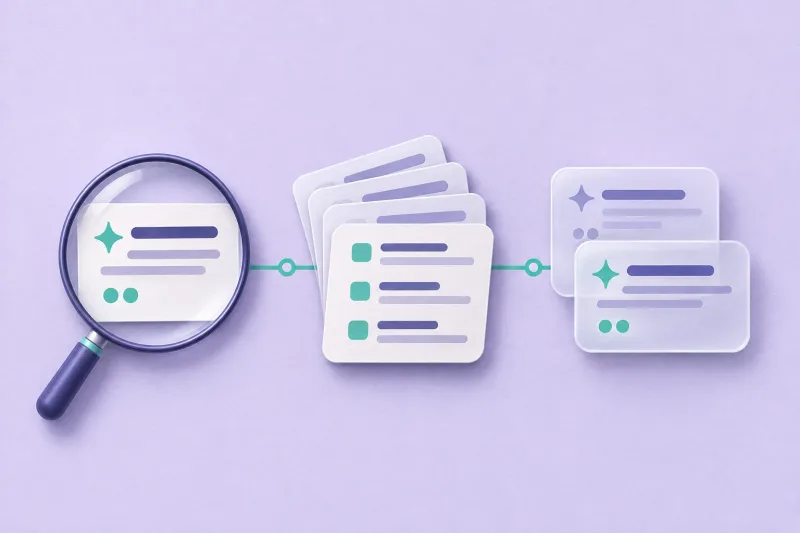
Follow the four steps from question to answer. Scroll the diagram sideways on narrow screens.
- Ask a question
Enter a question in Copilot Search. A follow-up can build on the conversation. [1]
Next: Find relevant evidence
- Find relevant evidence
Grounding uses information from search. Retrieval can be refined to support different parts of the question. [4]
Next: Generate a sourced answer
- Generate a sourced answer
Bing synthesizes a response and can attach links that let you check the evidence. [1] [4]
Next: Read sources or follow up
- Read sources or follow up
Open the links to check individual claims or ask a related question in context. [1]
Bing’s retrieval can involve multiple passes. The diagram shows the reader-facing flow and Microsoft’s general description of grounding. [1] [4]
Bing may place links alongside claims or collect sources in a separate area. Open the source closest to the claim you care about and check what the page actually says. A source can support one detail in a paragraph while leaving another unsupported. If you ask a follow-up, Bing can carry context forward, so use a fresh search when you want an independent observation. Microsoft lists AI Mode, AI Overview, and Copilot separately in its guidance. For the checks in this guide, start at the dedicated Copilot Search page so you know which surface you’re observing. [1] [2] [3]
Three ways to check Bing AI Mode visibility
| Method | Use it to answer | What you’ll see |
|---|---|---|
| Manual Bing search | What did Bing say in this answer? | The answer text, linked sources, and any brands mentioned in that search. |
| Bing Webmaster Tools | Which pages on my verified site receive citations? | Sampled citation trends, cited URLs, and grouped grounding queries across supported AI experiences. |
| Ansvra | How often does my brand appear for the questions I track? | Saved Bing AI Mode answers, brand and competitor mentions, cited pages, and earlier results for comparison. |
Measure a brand mention and a website citation separately. Bing might recommend your product and link to a review on someone else’s site. That’s a mention of your brand and a citation for the reviewer. A citation for your domain tells you that a page was linked. Use your web analytics to see whether people visited or converted. [5]
1. Check Bing AI Mode manually
- Open the Copilot Search page. If you start in regular Bing, follow the dedicated AI search entry when it’s available. Starting from the direct page makes it easier to repeat the same check.
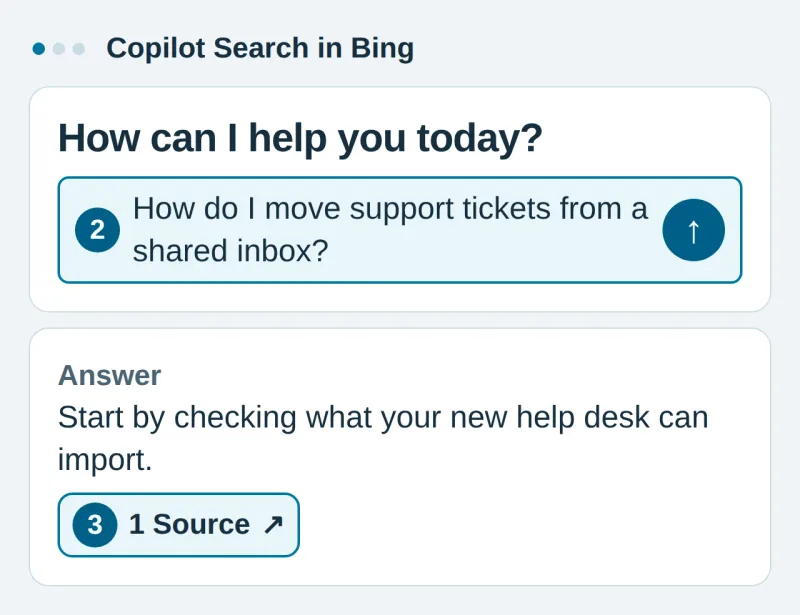
- Ask a question a buyer would ask. Tap the question box, enter a question without your brand name, and tap the Send arrow. Try a comparison, a recommendation with constraints, and a how-to question. Use a fresh search for each one.
- Read the answer and open its sources. Tap a citation beside a claim or a Source link. Record whether your brand is named, which competitors appear, and the exact URLs linked in the response. Note the claim each source supports. If a third-party page links to you, record it separately from a citation that points directly to your site.
- Record the conditions and repeat. Keep the exact wording, check date, language, market if known, and sign-in state with the result. When checking again, hold those conditions as steady as you can. Log follow-up questions separately.
What we saw in three live Bing prompts
We ran three English questions about hosted help desk software in fresh Copilot Search tabs in Chrome on November 10, 2026, while signed out of Bing. Each prompt asked for sources. We counted each distinct publisher label attached to an inline source link once per answer. The chart excludes general search results and repeated links to the same publisher label. [2]
Distinct publisher labels attached to inline source links in each Copilot Search answer.
- Publishers
Full data table
| Prompt intent | Publishers |
|---|---|
| Compare | 3 |
| Recommend | 2 |
| Migrate | 2 |
Ansvra editorial observation, November 10, 2026. One signed-out Chrome answer per prompt. Repeated publisher labels count once per answer. The full prompts and observed labels are listed below. [2]
| Prompt used | Inline source labels observed |
|---|---|
| How can a small company compare hosted help desk software? Cite sources for the main criteria. | Capterra, SelectHub, toolradar.com |
| Which hosted help desk tools fit a five-person support team? Cite sources for the recommendations. | Motadata, rework.com |
| How do I move support tickets from a shared inbox to a hosted help desk? Cite sources for the steps. | HubSpot, ONES |
Each answer cited a different set of publishers. The migration answer relied mostly on HubSpot documentation, while the comparison answer drew on review and comparison sites. That gives a help desk marketer two different things to investigate. A detailed migration guide can answer implementation questions, while a buyer comparing products may want independent comparisons. This was one run per prompt in one browser session, so use the example to design your own checks. The observed source counts don’t estimate typical citation volume, publisher preference, or the effect of changing a prompt.
2. Review Bing Webmaster Tools AI Performance
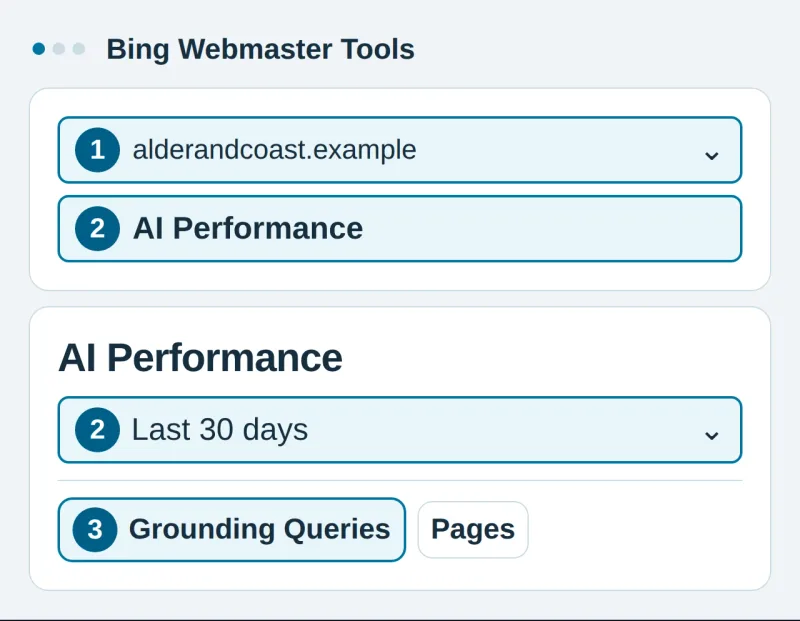
- Sign in to Bing Webmaster Tools and select your verified site. Use the site selector. Add and verify the site if it’s new, or import a property you’ve already verified in Google Search Console. [6]
- Open AI Performance and choose a date range. Find AI Performance in the navigation menu, then use the date selector in the report. Check Total Citations for the number of visible citations in the reported period. Average Cited Pages tells you how many distinct URLs were cited per day on average. A change in one can occur without a similar change in the other. [5]
- Look at Pages and Grounding Queries. Select a page to see the grounding queries associated with it, or select a query to see cited pages. Grounding queries are grouped retrieval phrases. The exact wording a user entered may be very different. [5]
- Use Topics Portfolio if it’s available. The beta groups related grounding queries into themes. Start with a theme where you already receive citations, then inspect opportunity queries for closely related questions your site could answer. Microsoft says the figures are approximate and sites with sparse activity may not see the view. [7]
The report aggregates sampled activity from supported surfaces, including Microsoft Copilot, AI-generated Bing summaries, and select partner experiences. Use it to see directional trends for your site. The reported totals don’t isolate the dedicated Bing AI Mode view or reveal which brands appeared in an individual answer. Sparse reporting can reflect limited observed activity. When you want to check a particular buyer question, run it directly in Bing or look up a saved answer in Ansvra. [5]
3. Track Bing AI Mode with Ansvra
Ansvra keeps your prompt list and saved answers together, so you can see which questions lead to a mention, where a competitor shows up, and which page Bing links. Bing AI Mode is one of Ansvra’s core platforms and can be selected on Starter. The seven-day Starter trial is free and requires no credit card. [8]
Set up your first project in about 10 minutes
Have your website, target country and language, and a few customer questions ready. Budget about 10 minutes for guided setup. Saved answers appear after checks complete, and the time they take can vary. [9]
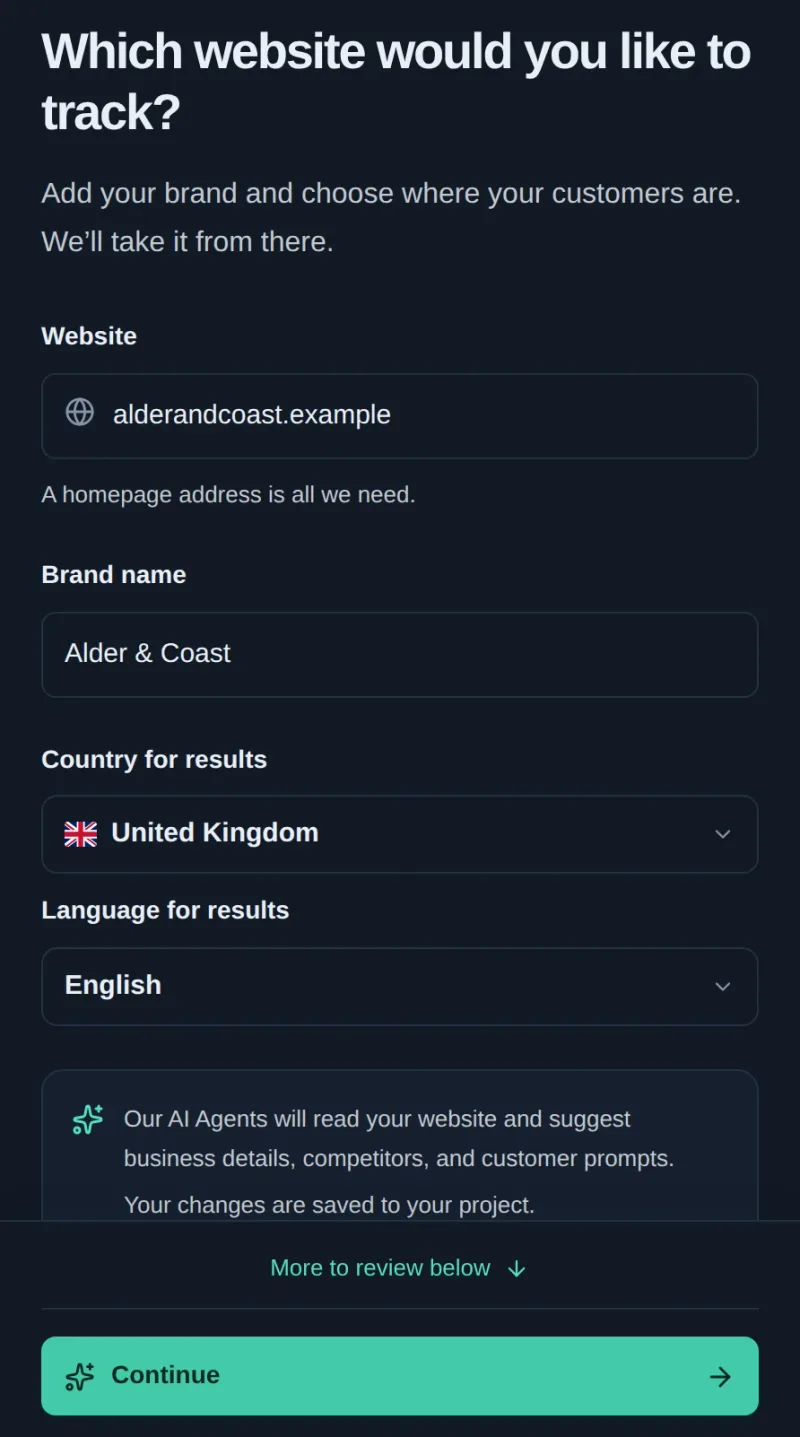
- Start your free trial and add your website. Follow the sign-in instructions. In Website, enter your homepage. Check Brand name, Country for results, and Language for results, then tap Continue.
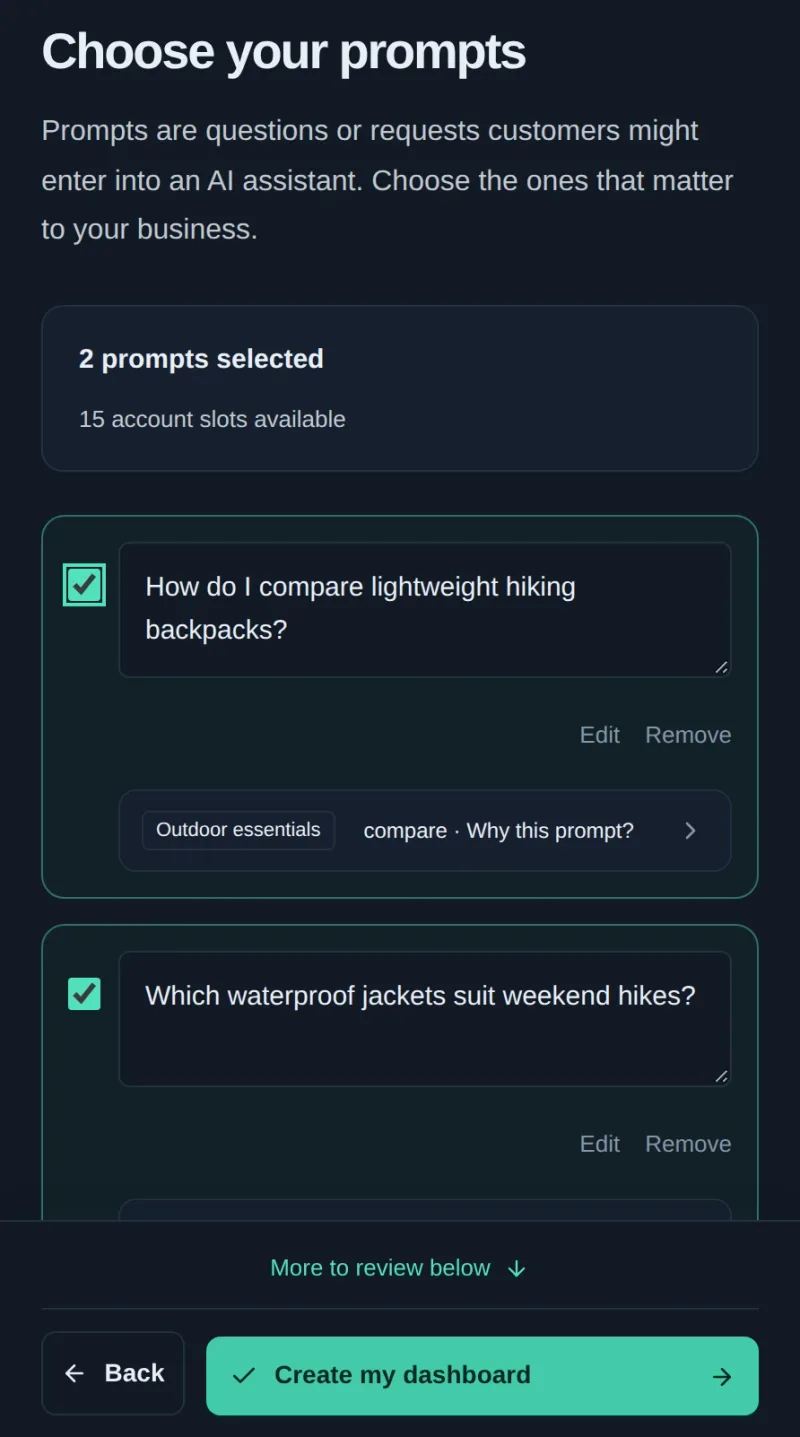
- Review your business and choose your prompts. Check the suggested business details and competitors. Tap Find my prompts, select the questions you want to track, and tap Create my dashboard.
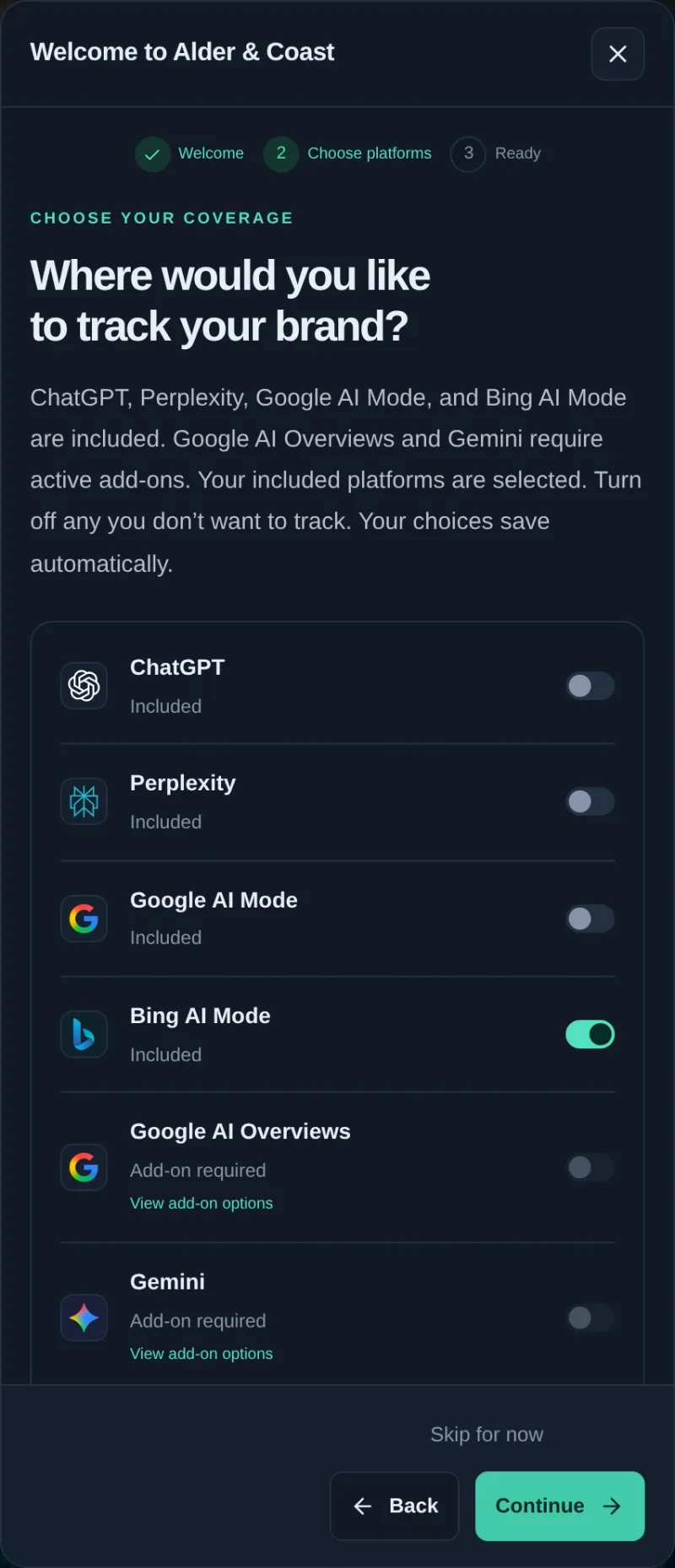
- Keep Bing AI Mode enabled. In the welcome guide, tap Let’s set up your platforms. On Choose your coverage, check that Bing AI Mode is switched on, tap Continue, then tap Explore dashboard. If you request a manual check, review the run summary and confirm it. Enabled scheduled checks can also save results. [9]
Open a saved Bing AI Mode answer
When a check has completed, use Current results to view your saved answers.
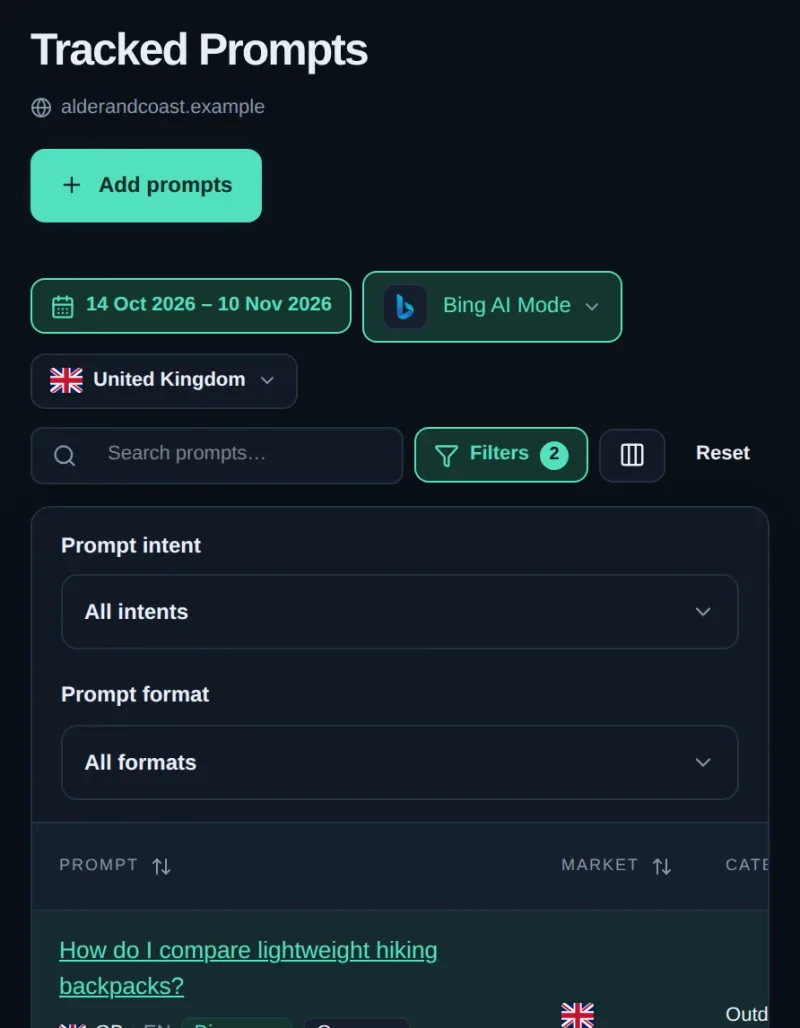
- Open Tracked Prompts. Tap All platforms or the platform name shown, then select Bing AI Mode. On mobile, close the platform picker to return to the list.
- Tap the question text to open Prompt details.
- Tap Responses, then choose a saved answer. Check Brand presence & sentiment for mentions and Sources for linked pages. Use Result history to find earlier checks. [10] [11]
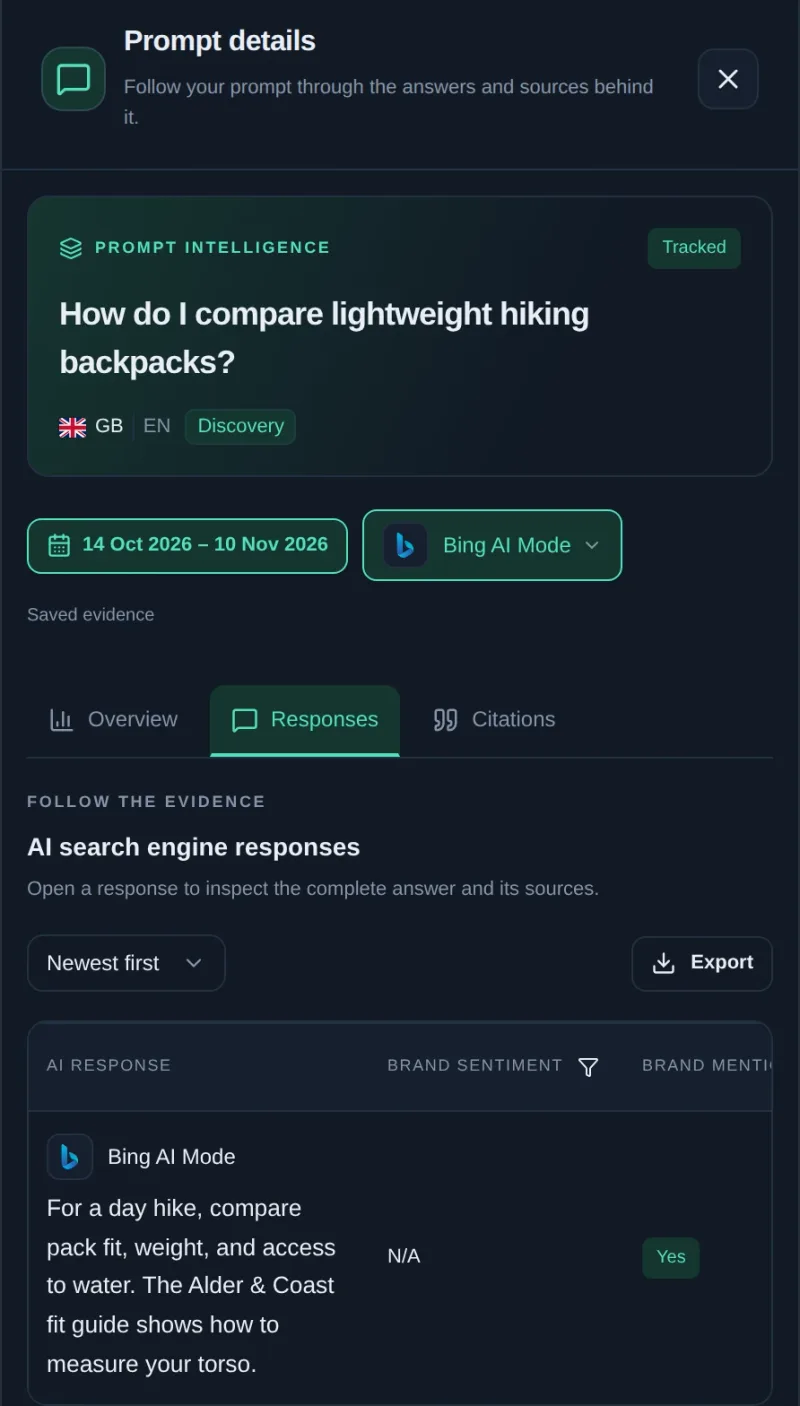
For Bing AI Mode tracking, use focused, single-question prompts. If your project has older Microsoft Copilot results, review them under their original platform label. They have a separate history and comparison baseline. [11]
How to improve your chances of being cited in Bing AI Mode
Start with one buyer question you can answer better. Check the current answer and read the cited pages. Look for a detail that matters to a buyer and that you can substantiate, such as what happens to ticket attachments during migration, what a plan includes at a given seat count, or which permissions an administrator needs.
- Make the page discoverable. Use URL Inspection in Bing Webmaster Tools to check how Bing sees the relevant page. Review indexing and publisher preferences before interpreting missing citations. Microsoft describes separate controls for training and for grounding, so check the guidance that applies to your site before changing them. [3] [5]
- Put the answer near the top. Name the product, audience, or situation the section covers. Use a short paragraph for the direct answer, then add a comparison table, checklist, or worked example where it helps readers make a decision.
- Make claims verifiable. Give units, dates, limits, and exceptions. Link to supporting documentation or original evidence. If a feature depends on the plan or region, keep that qualification beside the claim. [4] [5]
- Check the same prompts after publishing. Keep the platform, market, language, and prompt wording stable. Compare brand mentions and domain citations separately, and look at the saved answers before attributing a change to your edit. Build a repeatable AI visibility benchmark.
Frequently asked questions
Is Bing AI Mode the same as Copilot Search in Bing?
Yes, these names refer to the dedicated AI search experience covered here. Microsoft introduced it as Copilot Search in Bing and now also uses AI Mode in its materials. Ansvra calls the tracking platform Bing AI Mode. [1] [2] [3]
Can Bing Webmaster Tools show the exact prompts people typed?
AI Performance shows grouped grounding queries and associated citation activity. To inspect the wording and evidence for a specific question, run that question yourself or open an answer saved for one of your tracked prompts. [5]
Does a high Bing ranking guarantee an AI citation?
No. Bing’s index supports both experiences, but they serve different purposes. Traditional ranking helps people find pages. Grounding helps a generated answer find relevant facts it can use for the question at hand. [4]
Can I try Bing AI Mode tracking for free?
Yes. Start Ansvra’s seven-day Starter trial and select Bing AI Mode as one of your tracked platforms. No credit card is required. [8]
Summary
Start with one buyer question in Copilot Search and open its sources. Use Bing Webmaster Tools to see which pages on your site are cited across supported AI answers. In Ansvra, track the same questions in Bing AI Mode and compare saved answers to see what changed.
Start your 7-day free trial and add the questions your customers ask before they choose a product.
Sources
- Microsoft Bing · Introducing Copilot Search in BingAccessed
- Microsoft Bing · Copilot SearchAccessed
- Microsoft Bing · Clearer preferences for training and groundingAccessed
- Microsoft Bing · From ranking pages to supporting answersAccessed
- Microsoft Bing · AI Performance in Bing Webmaster ToolsAccessed
- Microsoft Bing · Add and verify a siteAccessed
- Microsoft Bing · Topics Portfolio in AI PerformanceAccessed
- Ansvra · Pricing, plans, and free trialAccessed
- Ansvra · Account and project setupAccessed
- Ansvra · Tracked PromptsAccessed
- Ansvra · Understanding resultsAccessed


Discussion
Join the discussion